Western Digital (WDC) is a Nasdaq-listed data storage company with the ticker symbol WDC. In the Gate Stocks context, users are not focused on the traditional broker account opening process, but rather on completing WDC searches, order submissions, fee confirmation, and position reviews using the USDT fund framework.
The Western Digital (WDC) Basic Introduction can help first confirm the company entity and business scope. Trading operations, however, should return to the Gate Stocks page itself, checking each item such as name, ticker, market, order type, available balance, fee rules, and trading status. Understanding company fundamentals and the page transaction flow are two separate layers and should not be mixed in the same judgment.

A more reliable approach is to first confirm whether the account and USDT can be used for stock orders, then search for Western Digital using the ticker WDC, select the order type, and review the trade history. After the SanDisk spin-off, WDC and SNDK exist simultaneously. Checking by ticker helps reduce common issues such as selecting the wrong asset, fund currency mismatches, and failing to confirm positions after execution.
What Do You Need to Prepare before Buying or Trading WDC on Gate Stocks?
Before trading WDC using Gate Stocks, you need to confirm account status, identity verification, stock trading permissions, available USDT, product availability, and regional eligibility. Different accounts and regions may be subject to different page rules, so the actual available functions should be based on what the Gate Stocks page displays.
The goal of the preparation phase is not to place an order, but to rule out basic issues such as inability to trade, unavailable funds, ticker confusion, and fee misinterpretation. If any preparation item is unclear, situations like "being able to see the market but unable to submit an order" or "order amount does not match available balance" may occur.
| Preparation Item |
Check Content |
Common Impact |
| Account Permissions |
Whether the Stocks / US stock trading function is available |
Affects ability to submit orders |
| USDT Funds |
Whether available USDT has been transferred to the corresponding stock account |
Affects order amount and tradable quantity |
| Product Availability |
Whether the WDC page shows a tradable status |
Affects ability to submit orders |
| Underlying Identification |
Whether name, ticker WDC, and market information are consistent |
Affects selection of the correct stock |
| Fee Rules |
Trading fees, minimum unit, settlement framework |
Affects actual execution and position records |
The purpose of this checklist is to separate the check of "whether you can see the page" from "whether you can submit an order." Only after account, permissions, funds, product status, and fee rules are all clear do the search and order placement steps have an executable foundation.
Step 1: How to Prepare USDT and Stock Trading Accounts?
Gate Stocks US stock trading typically requires completing account status checks, identity verification, stock trading permission confirmation, and preparing USDT that can be used for the stock account. Available USDT balance and the normal spot account balance may not be under the same page framework. Before trading, confirm that the funds are already in a state that can be used for stock orders.
Fund preparation also requires attention to fields such as on-chain deposit, account transfer, available balance, and frozen amount. If USDT is still being confirmed, the transfer is incomplete, or it is occupied by other orders, the displayed purchasable quantity on the page may be lower than the total account balance.
Step 2: How to Search for Western Digital (WDC) on Gate Stocks?
After entering the Gate Stocks page, enter WDC in the search box. The page should display Western Digital Corporation or the corresponding stock name. Checking the ticker and company name is the first line of defense in the trading process, especially after the SanDisk spin-off, where WDC and SNDK coexist and names and businesses can be easily confused.
If names are similar or there is a historical spin-off relationship, searching by stock ticker is usually more reliable. WDC should not be mixed with SNDK. If the page only shows an abbreviation or company short name, cross-check the ticker, full company name, and trading market information together.
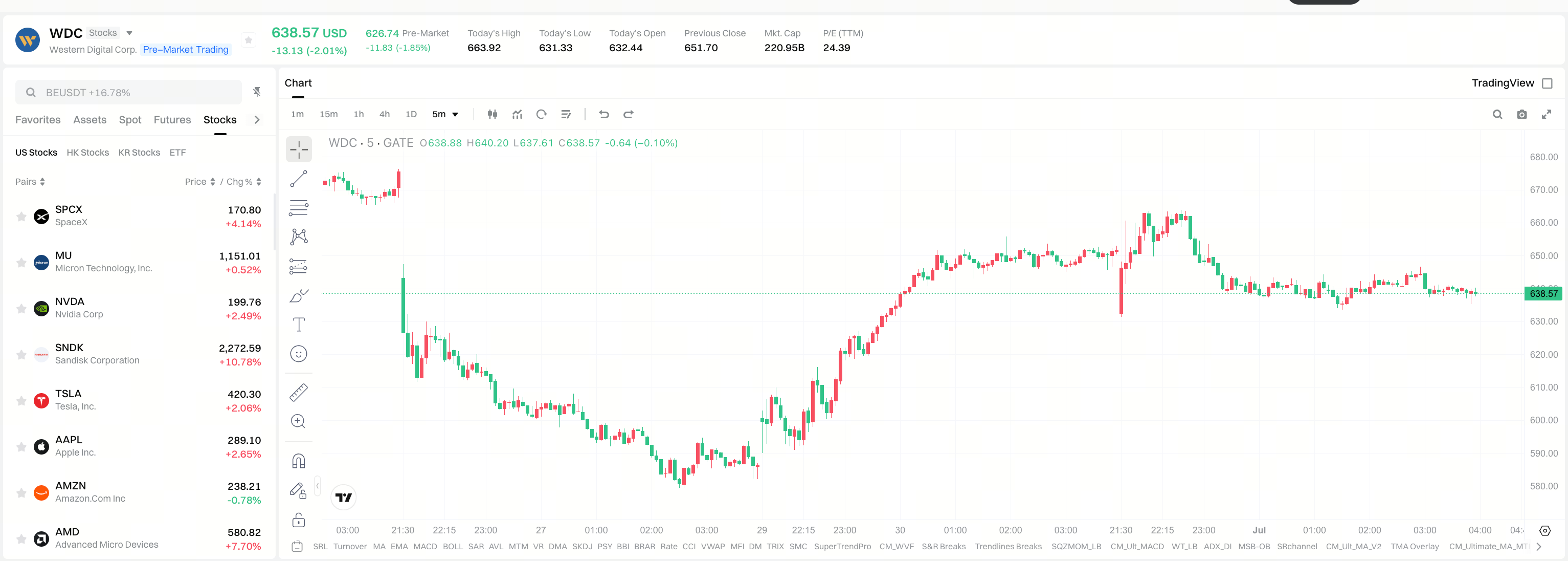 Figure 1. Workflow for trading WDC on Gate Stocks
Step 3: How to Place an Order to Buy or Trade WDC?
After entering the WDC trading page, confirm the order direction, order type, quantity or amount, estimated execution amount, trading fee, and account available balance in sequence. Before submitting the order, check the stock name and ticker again to avoid bringing underlying identification errors into the trade records.
Common order types include limit orders and market orders. Limit orders allow users to set a price condition, while market orders execute at the market's best available price. There is no absolute advantage of one order type over another; the differences lie in execution logic, speed, and price control.
| Order Type |
Key Check Points |
Possible Situations |
| Limit Order |
Price, quantity, validity status |
May not execute if the price condition is not triggered |
| Market Order |
Available balance, market liquidity |
Execution price may differ from estimate |
| Partial Fill |
Executed quantity, remaining order |
Position and available balance change simultaneously |
The table illustrates the differences between order types and order statuses. Before submitting the order, the confirmation box, fee prompt, and order direction on the page should be used as final checkpoints.
What Fees and Order Rules Need to Be Confirmed when Trading WDC?
The stock trading page typically displays trading fees, spreads, order execution price, minimum trading unit, trading session, and related prompt information. Different products and regions may have different rules, so fees and order rules should be based on what the page shows.
In addition to trading fees, pay attention to order execution costs. Market orders may incur execution price differences due to market liquidity, while limit orders may not execute for a long time if the price condition is not met. Fee rules, execution methods, and order status need to be considered together.
| Check Item |
Meaning |
Why It Matters |
| Trading Fee |
Transaction cost incurred from execution |
Affects the amount displayed on the order confirmation page |
| Spread |
Difference between buy and sell quotes |
Affects actual execution cost |
| Minimum Unit |
Minimum trading quantity allowed by the page |
Affects whether an order can be submitted |
| Trading Session |
Time window during which the underlying is tradable |
Affects whether the order can be executed |
The table breaks down fees and order rules into four check items. If the content displayed on the order page is inconsistent with expectations, first review the quantity, price, fee, and trading status before deciding whether to continue.
Step 4: How to Review Positions and Historical Orders after Execution?
After submitting an order, check the status on the open orders, historical orders, trade records, or positions page. If the order is not executed, it may be related to limit price settings, market price, trading session, or liquidity. If the order has been executed, check the average execution price, quantity, fee, and position amount.
Position review should also include ticker confirmation. WDC represents Western Digital, SNDK represents SanDisk. The ticker codes on the holdings page, order records, and asset details should be consistent with the order target.
How to Avoid Confusion when Searching for WDC and SNDK?
After the spin-off, WDC and SNDK correspond to different company entities. Searching for WDC should show Western Digital; searching for SNDK should show SanDisk. Although they have historical ties, their businesses, finances, and trading tickers have been separated.
Practical methods to avoid confusion include: using only the stock ticker for retrieval; checking the company's English name before placing an order; reading the asset description on the trading page; and re-checking the position ticker after execution. First understanding the relationship between SanDisk and WDC helps reduce the risk of selecting the wrong ticker.
What Risks Should You Understand before Buying or Trading WDC?
Trading process risks and company fundamental risks need to be understood separately. Trading process risks include ticker mis-selection, order type misinterpretation, unclear fee rules, trading session restrictions, and liquidity changes. Company fundamental risks come from the HDD industry cycle, cloud customer procurement plans, AI data center demand, customer concentration, and financial framework changes after the spin-off.
Differences in settlement, valuation, or fees may also exist between the USDT fund framework and the underlying stock price. Before trading, use the WDC Pre-Trade Indicator Checklist to sort out company variables, then check the available balance, estimated execution amount, and fees according to the page rules.
Common operational errors include looking only at the name without checking the ticker, confusing WDC with SNDK, mixing up available balance with purchasable quantity, ignoring trading sessions, not distinguishing limit from market orders, and not reviewing after execution. The trading process can be read together with the WDC and SanDisk spin-off relationship: the former focuses on tickers, orders, and positions; the latter focuses on business boundaries and financial framework.
Summary
Using USDT to trade WDC via Gate Stocks is essentially a standardized process: prepare the account and USDT, search for the ticker WDC, check the stock details page, select the order type, confirm fee rules, and review the position after execution. After the SanDisk spin-off, WDC and SNDK are already different stock tickers. The trading page addresses operational issues, while the company business and risk checklist address underlying understanding.
FAQ
Which company is WDC on Gate Stocks?
WDC corresponds to Western Digital Corporation, a data storage company focused on HDD business after the SanDisk spin-off.
What is the difference between trading WDC on Gate Stocks and on traditional brokers?
Gate Stocks uses the platform account and USDT fund framework to present the trading process, while traditional brokers typically rely on local securities accounts and local currency systems. Specific product rules, fees, and rights arrangements should be based on the page descriptions.
What is the difference between WDC and SNDK search results?
WDC is Western Digital, SNDK is SanDisk. They trade independently after the spin-off and the tickers should not be mixed.
How to confirm the minimum purchase requirement?
The minimum quantity, minimum amount, and submittable unit should be based on the order box prompt on the WDC trading page. Different stocks, account statuses, and page rules may vary.
Why wasn't the order executed immediately after placement?
Possible reasons include the trigger price not being reached, insufficient liquidity, or being outside the tradable session. Whether to sell, cancel, or continue waiting should be based on the page order status and trading rules.
What industry does WDC belong to?
WDC belongs to the data storage industry. After the SanDisk spin-off, it focuses more on HDD hard drives and cloud data center storage needs.
How to confirm dividend or corporate action rules?
Stock-related dividend, split, merger, or other corporate action arrangements should be based on the Gate Stocks page descriptions and platform notifications, not solely on experience with traditional brokers.