


Gate uygulamasında mobil cihazlarda takas yapmak için Adım Adım Kılavuz:
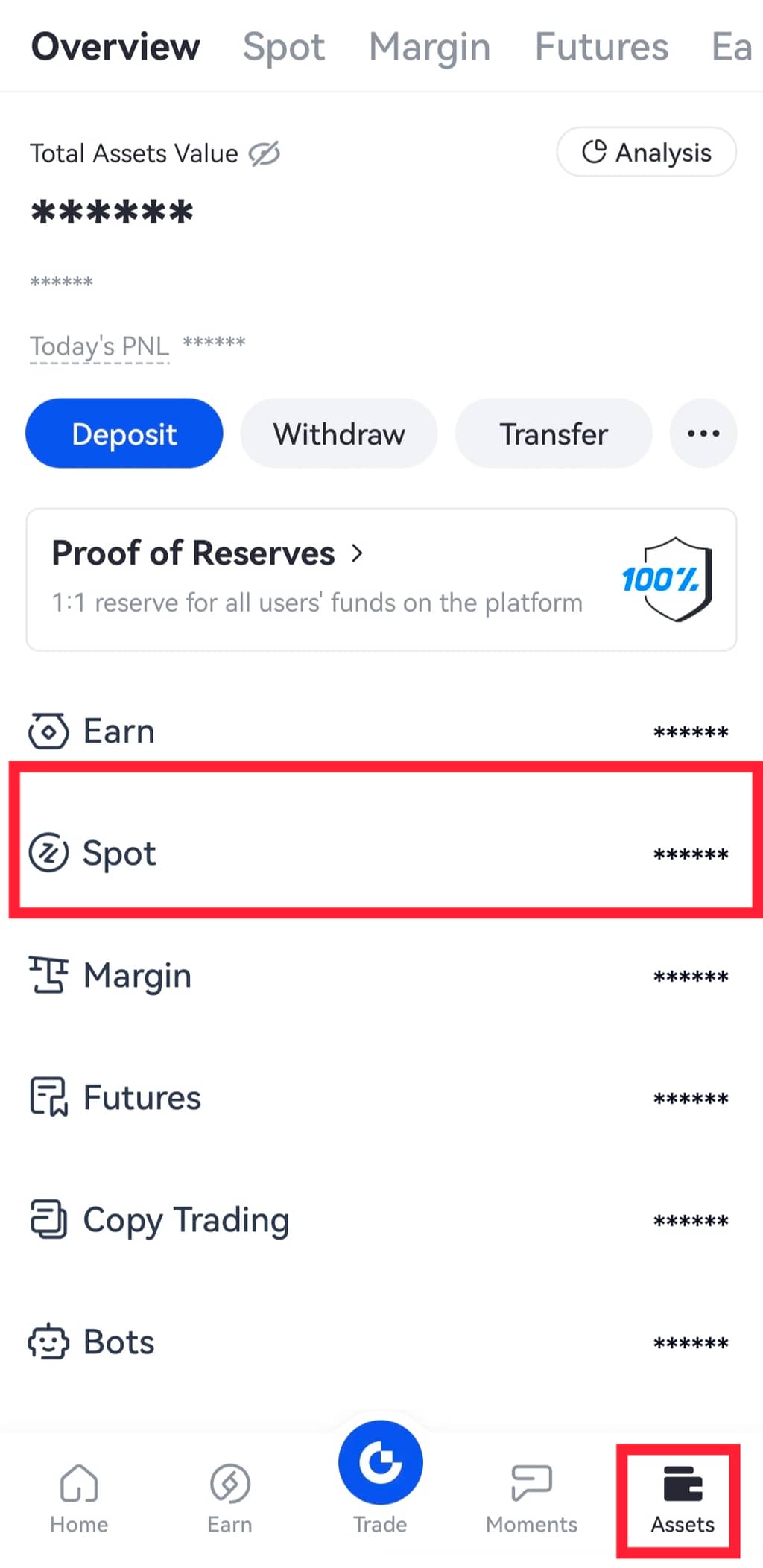
Adım 1: Gate uygulamasını açın ve hesabınıza giriş yapın. Alt menü çubuğundaki “Varlıklar” üzerine tıklayın ve “Spot” a gidin.
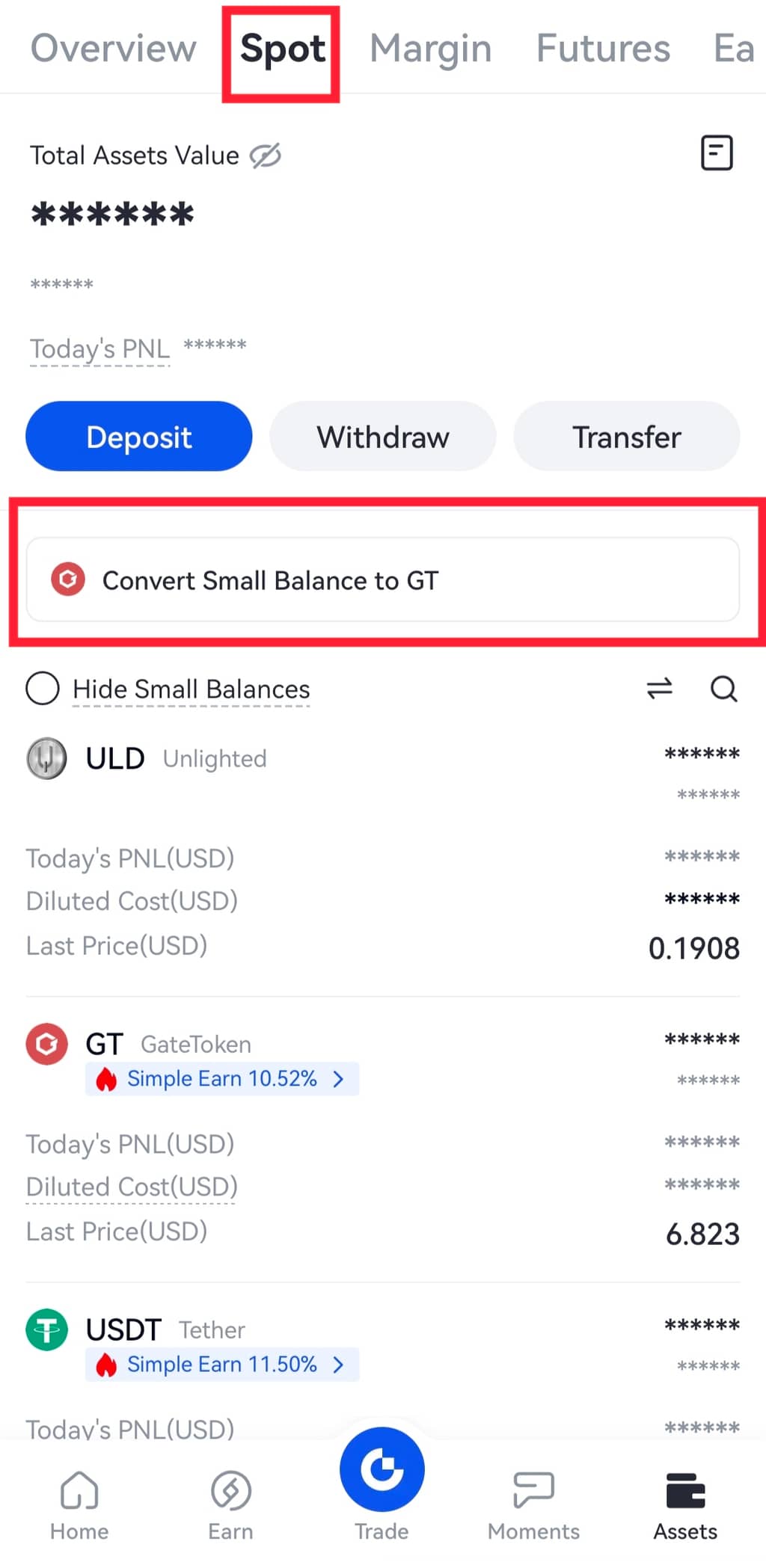
2. Adım: “Küçük Bakiyeyi GT'ye Dönüştür” seçeneğine tıklayın.
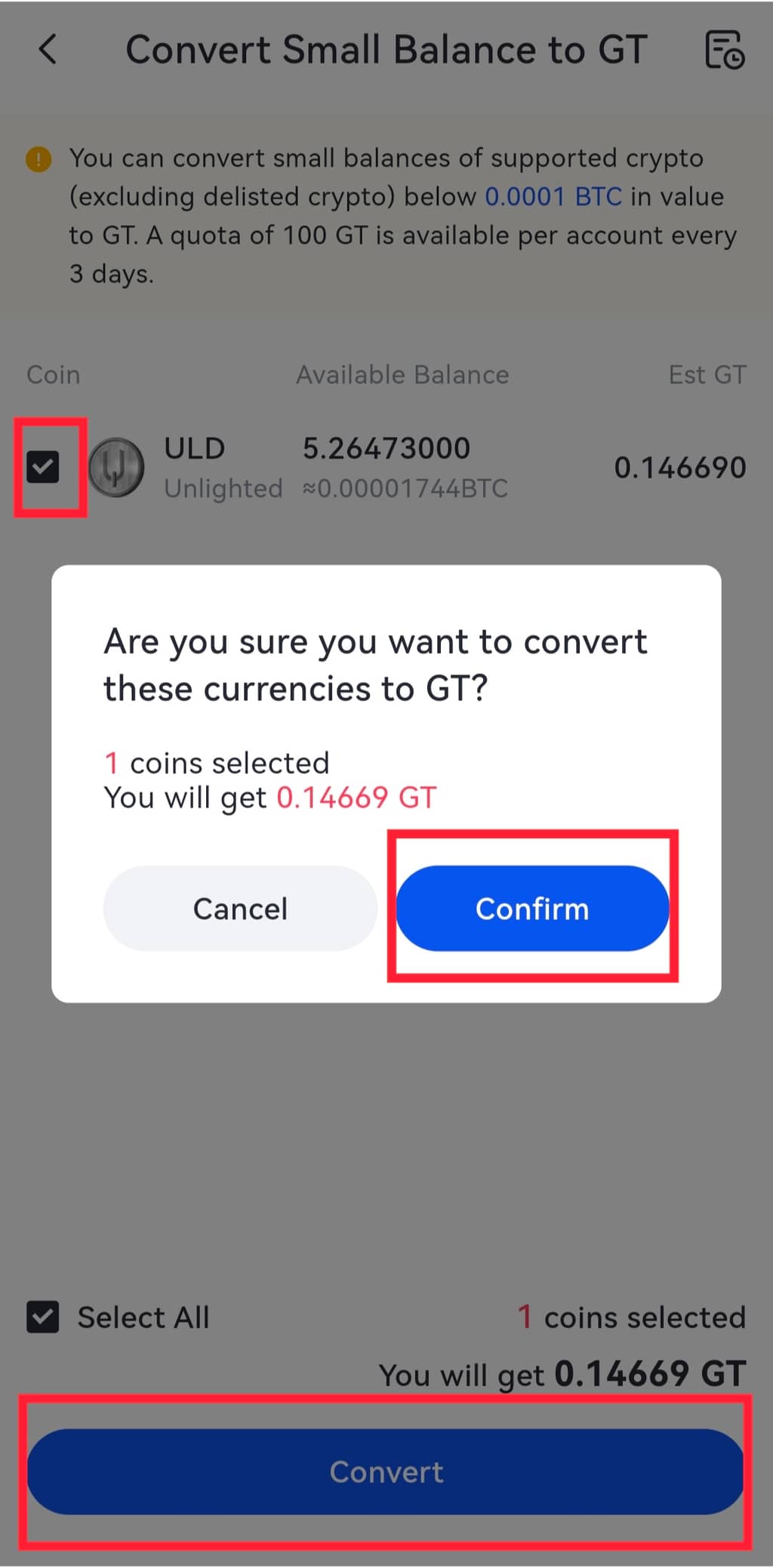
3. Adım: Takas etmek istediğiniz coin'i seçin ve sağ alttaki "Dönüştür "e tıklayın. Swap işleminizi onaylamanızı isteyen bir pencere açılacaktır. Basitçe “Onayla ”ya basın ve işlem tamamdır.
Not:
1.0.00000001 BTC'den büyük ve 0.0001 BTC'den küçük olan varlıklar GateToken'a dönüştürülebilir.
Token gereksinimi karşılıyorsa ve dust swap sayfasında gösterilmiyorsa, kullanıcı USD, USDT, USDG, listeden çıkarılmış tokenler vb. gibi desteklenmeyen para birimleri olup olmadığını kontrol etmelidir.
2. Kullanıcılar 24 saat içinde yalnızca bir kez dust swap yapabilir. Her 3 günde bir en fazla 100 GT swap edilebilir.
