


Applicable Scope
This guide applies to Gate Web
Before you start: Ensure you have access to your registered email or phone number
Estimated time: 5 m
Objective
This guide will walk you through how to reset your fund password and customize the frequency of fund password input on Gate Web.
Steps
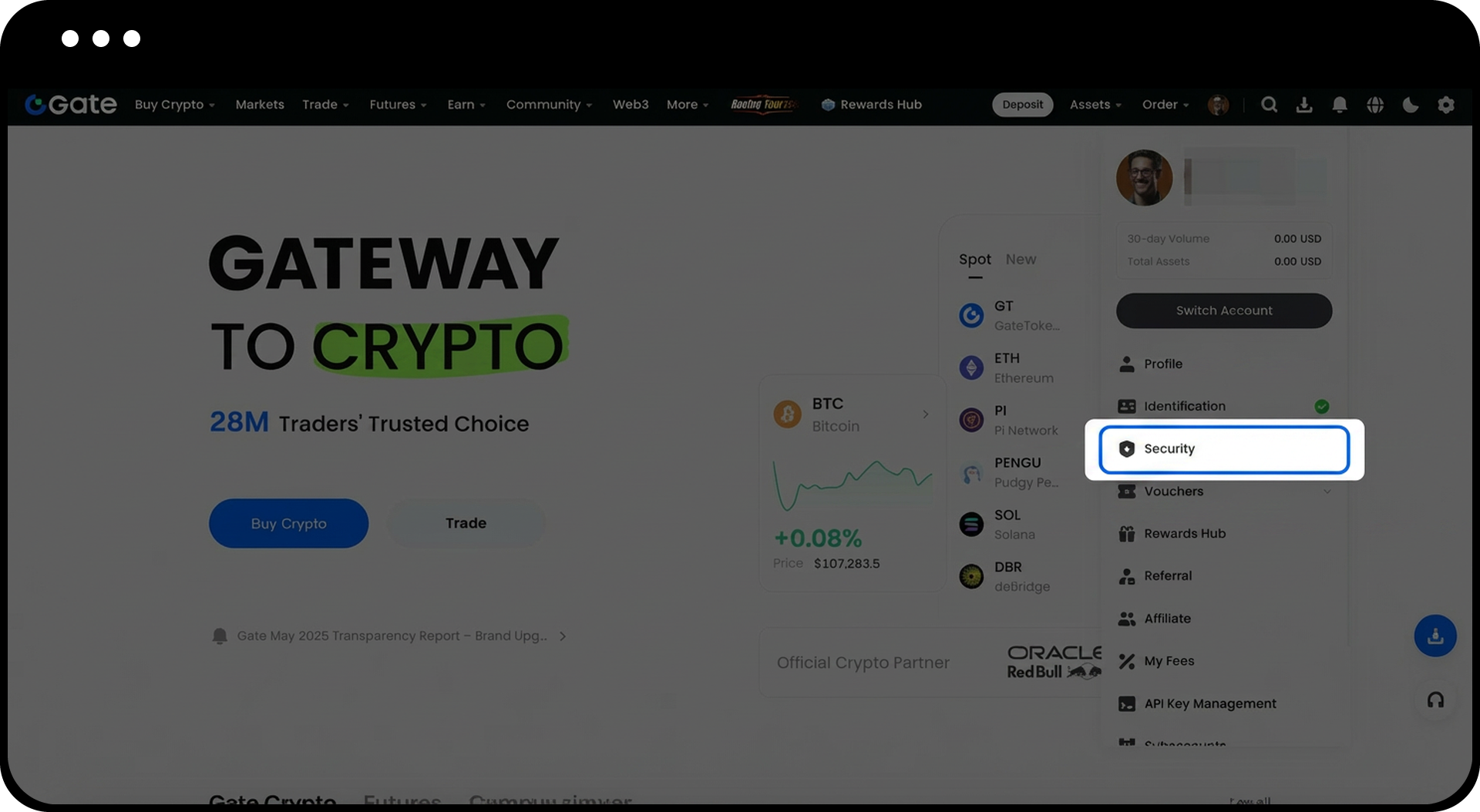
Step 1: Navigate to Security Settings
Log in to your Gate account. Move your cursor to the profile icon in the top-right corner and select "Security Settings".
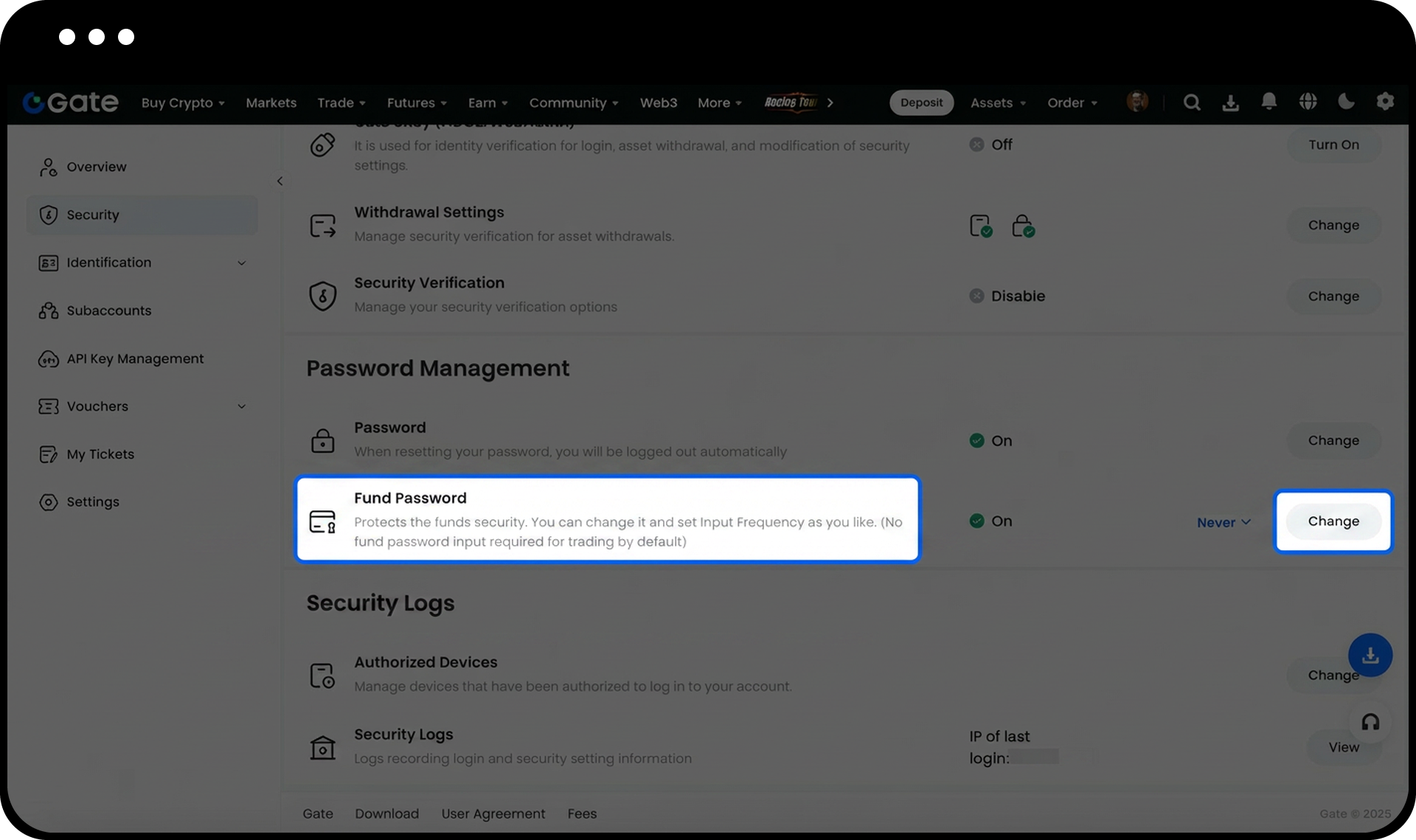
Step 2: Access Fund Password Settings
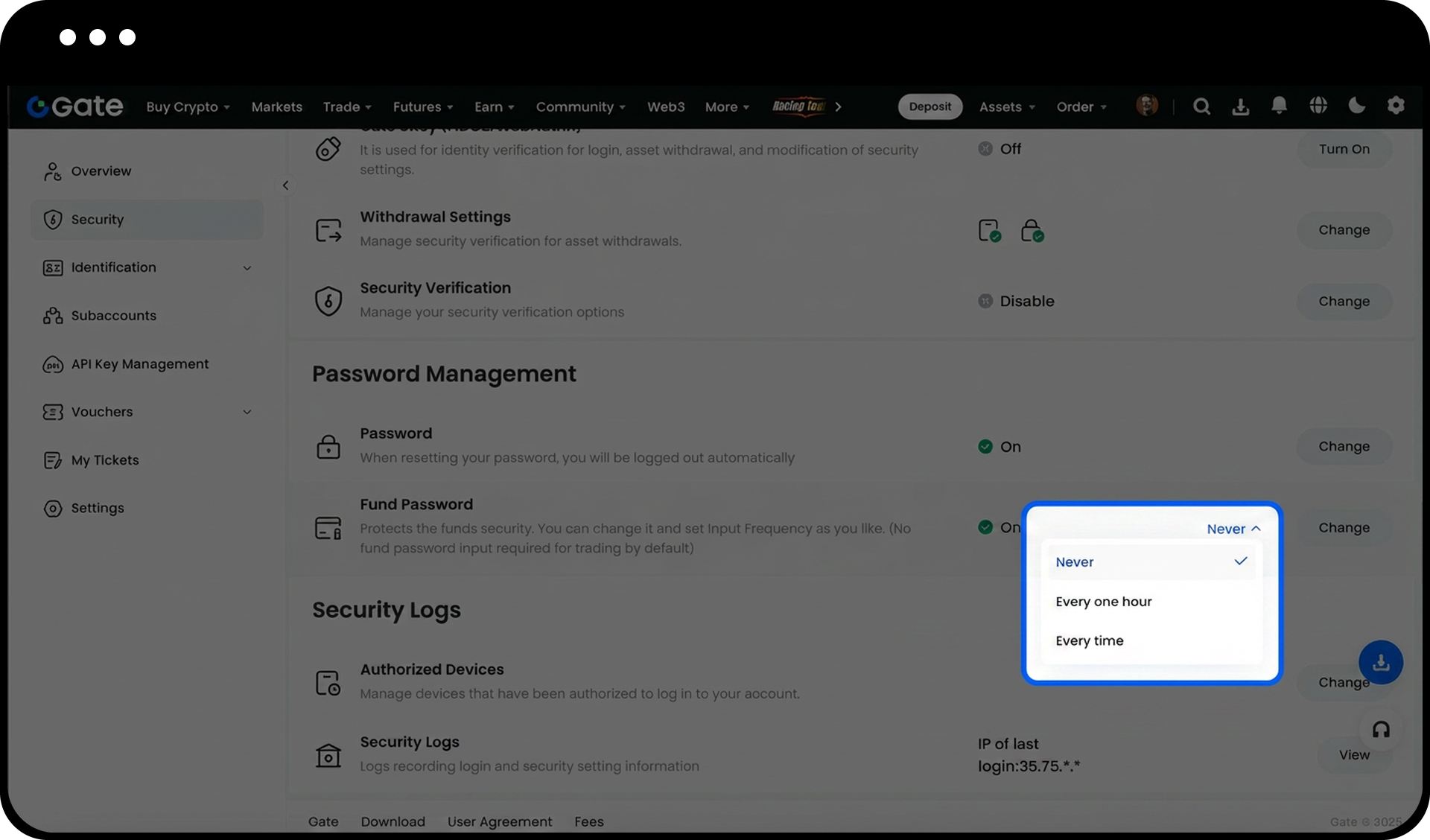
Scroll down to "Password Management" section and locate "Fund password". Click "Change" on the right side.
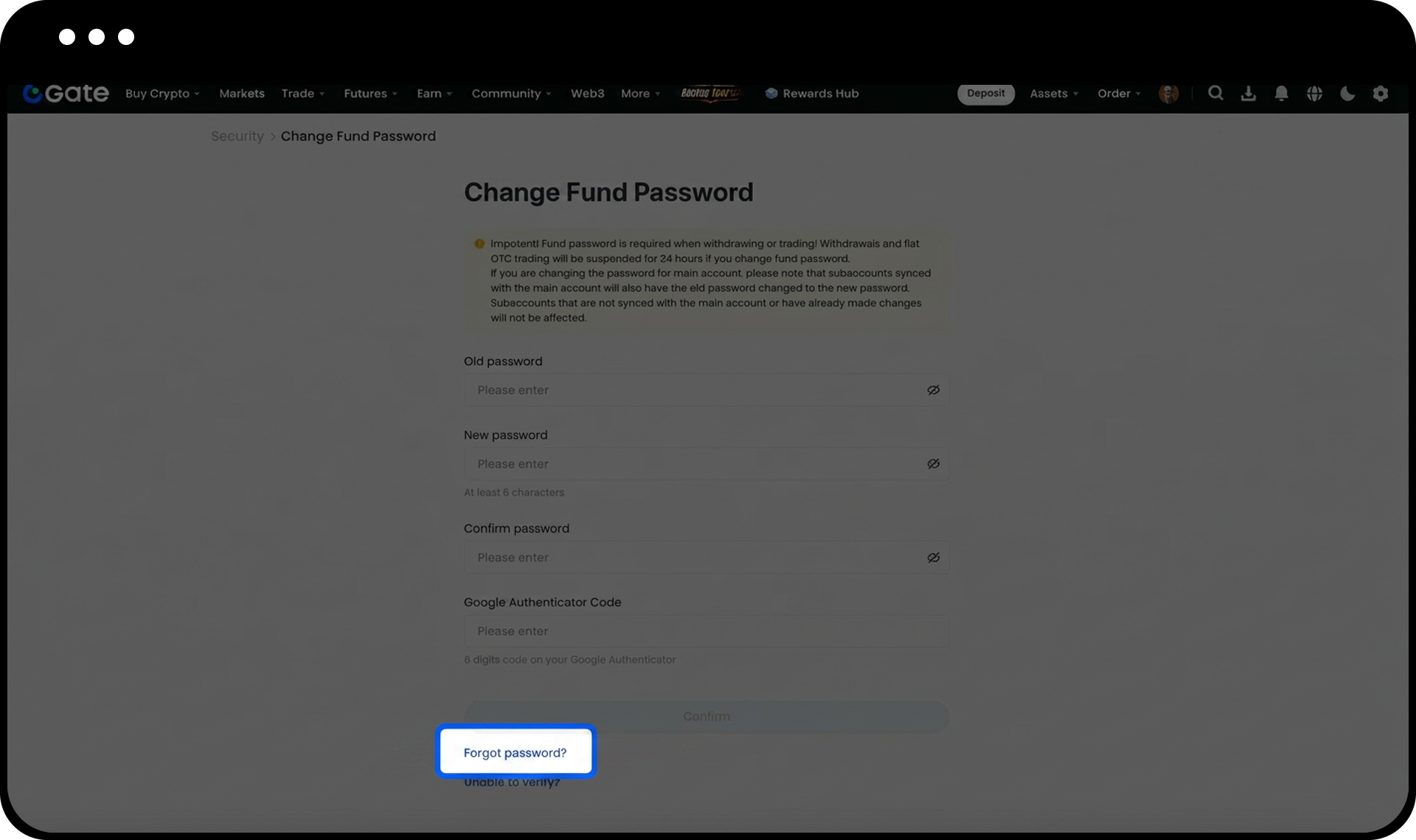
Step 3: Reset Your Fund Password
If you remember your old fund password, input the required information and set your new fund password. If you forgot your old fund password, click "Forgot password" to initiate the reset process.
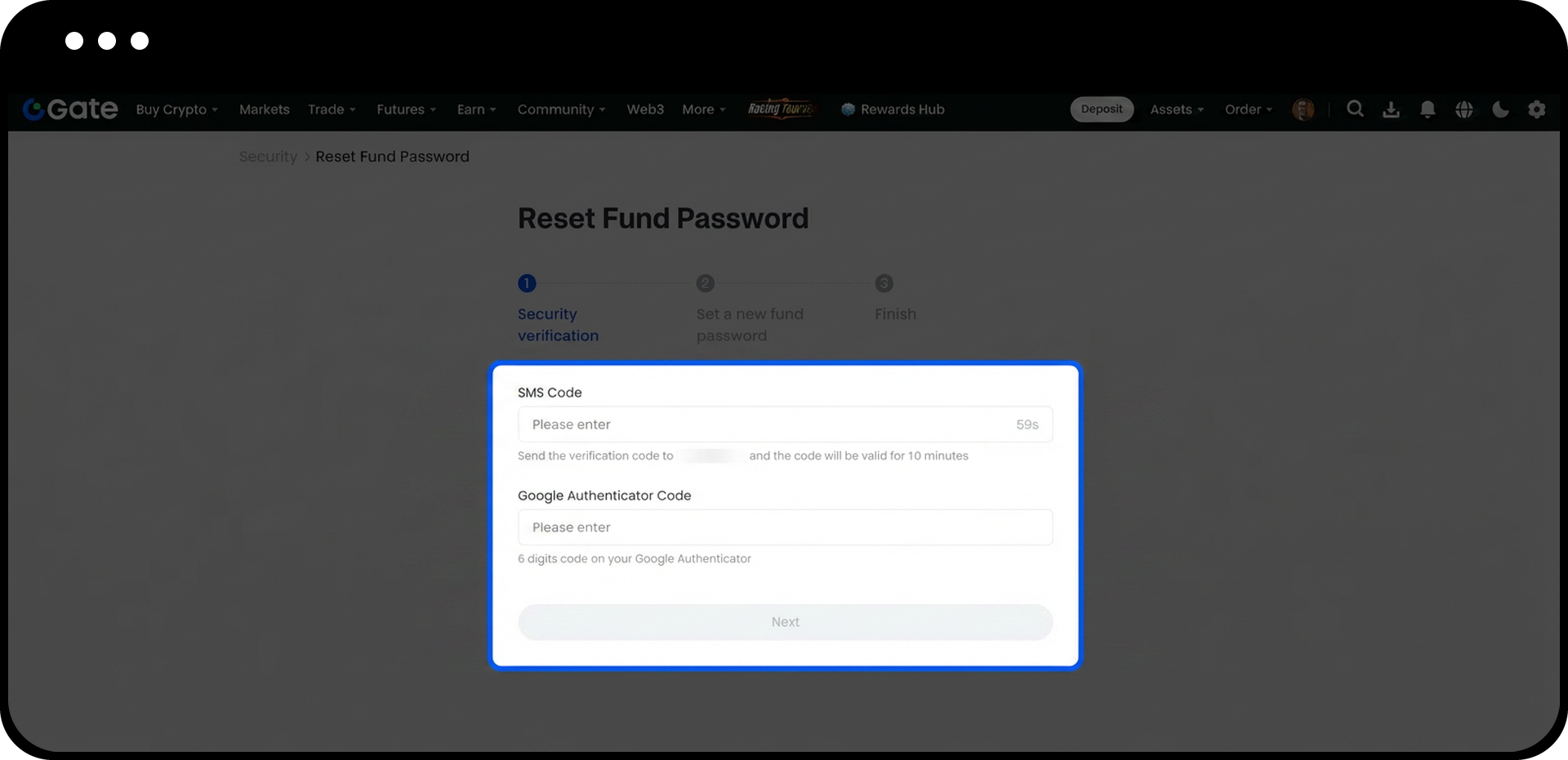
Step 4: Complete Verification
Choose your preferred verification method - either "Reset by mail" or "Reset by phone number". Follow the on-screen instructions to complete the verification process.
Step 5: Customize Input Frequency (Optional)
To set how often you need to enter your fund password, return to "Security Settings" > "Password Management" > "Fund password". Click the triangle symbol next to "Change" and select your preferred frequency: one hour, every time, or never.
Notes
- Your account will be restricted from withdrawal and fiat currency trading for 24 hours after resetting your fund password.
- Gate may update product features, interfaces, and security measures at any time.
- This information is for educational purposes only and does not constitute financial or legal advice.
- Please refer to Gate's Risk Disclosure and User Agreement for comprehensive information.
FAQ
Q1: Why can't I withdraw funds immediately after resetting my fund password?
A: For security purposes, Gate implements a 24-hour restriction on withdrawals and fiat currency trading after a fund password reset. This helps protect your account from unauthorized access.
Q2: What should I do if I don't receive the verification code during password reset?
A: Check your spam folder if using email verification. For phone verification, ensure your phone number is correct and has good signal reception. If issues persist, try the alternative verification method or contact Gate support.
Q3: What does each input frequency option mean?
A: "Every time" requires password input for each transaction, "One hour" requires input once per hour, and "Never" skips password verification. Choose based on your security preference and trading frequency.
Disclaimer
The content provided herein is for reference and educational purposes only and does not constitute any financial, investment, trading, or legal advice, nor does it constitute an offer or solicitation to buy or sell any digital assets. Gate makes no express or implied representations or warranties regarding the accuracy, completeness, or timeliness of the information contained herein. Product features, interfaces, rules, and fee structures may be updated or adjusted at any time. Please refer to the latest announcements and the actual information displayed on the Gate platform for the most accurate details.
Digital asset investments involve significant risk, and prices may fluctuate substantially. You may lose the entire amount of your investment. Please make decisions cautiously based on your own financial situation and risk tolerance after fully understanding the associated risks. If necessary, you are advised to consult an independent professional financial or legal advisor.
For more information about potential risks, please refer to Gate's Risk Disclosure and User Agreement.
